At a Glance:
The Essential Hardware Foundation
A Step-by-Step Guide on How to Set Up a Home Network
Designing Your Network Topology for Maximum Coverage
Protecting Your Digital Assets with Home Network Security
Why Trust Total Home Technologies?
The dream of working from home can quickly become a nightmare with a weak internet connection. Dropped video calls and frozen screens can kill momentum just when it's needed most. But a digital entrepreneur doesn't let a technical glitch stand in the way. Learning how to set up a home network is the first step toward building a seamless and professional digital workspace. A robust connection isn't just a convenience; it's a competitive advantage. This guide will show you how to turn your standard house into a high-performance digital hub.
Creating a Strong Home Network
If you want a robust home network for your needs, consult the experts at Total Home Technologies. Gain peace of mind using your home's internet with professional setup and installation.
Home NetworkThe Essential Hardware Foundation
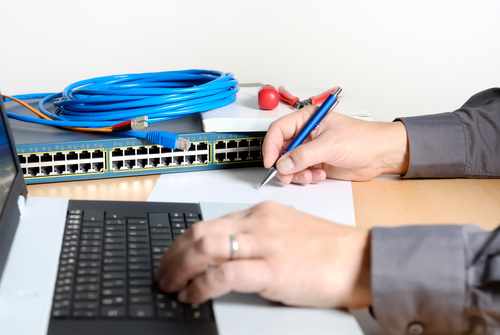
Every great journey begins with the right gear, and in networking, that means understanding the hardware. Is the device from your internet service provider ISP enough, or do you need a separate router? Knowing the difference between a modem versus router is key. The modem brings the internet into your home, the router distributes it to your devices on the local area network LAN.
For superior performance, WiFi 6E is a significant upgrade. It uses the less congested 6 GHz band, which is ideal for demanding connections. When combined with gigabit internet, you'll get faster speeds and smoother streaming, even in a house full of connected devices.
Learn more: Austin's Top Home Automation Trends: What's Hot in Smart Home Tech
A Step-by-Step Guide on How to Set Up a Home Network
Setting up a home network might seem daunting, but it's really just a series of straightforward steps. Let's walk through how to create a reliable connection for work, streaming, and everything in between.
First, connect the modem. Plug the coax, DSL, or fiber line from your internet service provider (ISP) into the modem. After you power it on, wait for the status lights to become solid, which indicates it's connected to the network.
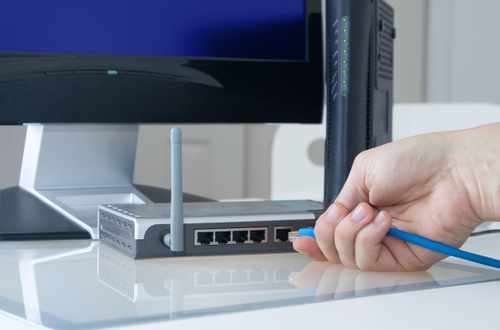
Next, begin the wireless router setup. Connect the modem to the router’s WAN/Internet port with an Ethernet cable. From there, you'll need to log into the router's dashboard. You can usually do this through a web browser or the manufacturer's mobile app. Brands like NETGEAR and ASUS offer guided instructions to make this part easier.
Once you’re in the dashboard, you’ll set up your network's identity and security.
- Name the Network (SSID): Choose a unique network SSID that’s easy for you to find. It's best to avoid using personal information like your name or address.
- Lock Down Wifi Security Settings: Immediately change the default administrator password. Enable WPA3 encryption if your router supports it; otherwise, use WPA2. The Cybersecurity and Infrastructure Security Agency emphasizes changing default credentials to secure your home network.
- Create a Guest Network Setup: It's a smart move to establish a separate network for visitors. This keeps them off your main local area network (LAN), protecting your primary devices.
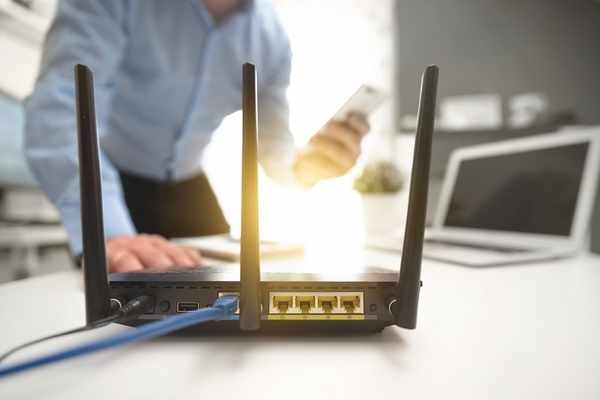
With the network configured, placement is the final key to performance. Position the router in a central, elevated location. Keep it away from thick walls and appliances like TVs or microwaves that can cause signal interference. After it's set up, test your internet speeds in different rooms to ensure the connection is strong and matches the plan you're paying for. The Federal Communications Commission offers guidance on what to expect from broadband speeds.
How to Choose the Best Setup for Your Space
The ideal network configuration depends largely on the size and layout of your home.
- Small apartment or condo: A single, high-quality router is often sufficient.
- Medium-sized home: A powerful dual-band or tri-band router can typically manage the demands of daily use.
- Large house or thick walls: A mesh wifi system is usually the best solution for consistent, whole-home coverage.
- Heavy streaming, gaming, or remote work: For the most stable performance, supplement strong Wi-Fi with wired Ethernet connections for essential devices.
Knowing how to set up a home network is about more than just plugging in cables. It involves making strategic decisions about equipment, placement, and security to build a network that performs well from the start.
Designing Your Network Topology for Maximum Coverage
When it comes to your router, placement is everything. Hiding it in a basement or shoving it inside a cabinet is like trying to light up a room with a lamp trapped in a corner; much of its power gets wasted. To build a strong network topology, your equipment needs to be positioned with purpose.
What if you live in a larger home where a single router isn't enough? That's where a mesh wifi system can make a huge difference. Instead of forcing one signal to fight its way through every wall, multiple nodes work together to spread coverage evenly. Each node helps carry the signal forward, so the connection in the back bedroom is just as strong as the one in the office.
Home Network Placement Checklist
- Place the router near the center of the home when possible.
- Keep it elevated on a shelf or desk, not on the floor.
- Avoid placing it next to microwaves, cordless phones, baby monitors, or large metal objects that can cause signal interference.
- Do not hide the router inside cabinets, closets, or entertainment consoles.
- In multistory homes, place mesh nodes on each floor for better local area network LAN coverage.
Hardwiring For Unshakable Stability
While wireless is convenient, nothing beats a wired connection for reliability. For activities like video calls, online gaming, or large file uploads, an Ethernet cable provides the most stable link to your network. Hardwiring stationary devices such as a desktop computer or a gaming console into the local area network LAN also frees up Wi-Fi bandwidth for your mobile devices, which can reduce network congestion and improve overall speed.
There are several ethernet cable types available, but for most modern homes, Cat6 and Cat6a are the most practical choices.
Quick Guide To Common Ethernet Cable Types
- Cat5e: Suitable for basic home use and shorter distances, but it's an older standard and may not support future speed upgrades.
- Cat6: An excellent all-around option for most households with gigabit internet.
- Cat6a: Offers better performance for longer cable runs and is ideal for future-proofing your network for even faster speeds.
When buying cables, look for certified products from reputable sellers. Brands like Monoprice, Cable Matters, and UGREEN offer reliable Cat6 and Cat6a options. It's better to invest in a certified cable than to opt for the cheapest unbranded alternative.
Protecting Your Digital Assets with Home Network Security

Your home office is a target. As your side hustle grows, so does the value of your client data, passwords, and banking information. Ignoring home network security is like leaving your front door wide open in a busy neighborhood. Cybercriminals often seek the easiest entry point, and a home router with weak settings can be that vulnerability.
So, how do you lock that digital door? Maintaining strong protection starts with regular firmware updates. Router manufacturers release these updates to patch security holes and enhance stability. Enabling automatic updates is a simple yet powerful step. It's also critical to change the default login credentials immediately, disable remote management unless absolutely necessary, and periodically review the devices connected to your network. Guidance from the Federal Trade Commission reinforces these fundamental practices for securing a home Wi-Fi network.
Home Network Security Checklist
- Change the router's default admin username and password. This is one of the first and most crucial steps.
- Use strong Wi-Fi encryption. Select WPA3 in your wifi security settings if available; otherwise, WPA2 is the next best choice.
- Enable automatic firmware updates. Let your router handle the security patches for you.
- Set up a guest network. A guest network setup keeps visitors and their devices separate from your main network.
- Review and remove old devices. If a device no longer needs access, remove it from your network list.
- Disable unused features. Turn off functions like remote administration if you don't use them to reduce potential attack surfaces.
Professional Support From Total Home Technologies
Sometimes, managing a high-end home or complex business network calls for expert help. For those in Austin, TX, and throughout New York and New Jersey, Total Home Technologies offers managed Wi-Fi services to eliminate connectivity guesswork. Our team knows that modern professionals can't afford downtime.
By creating a custom network topology and using enterprise-grade hardware, we guarantee gigabit internet speeds across your entire property. Solutions include discreet wiring and professional ireless router setup, letting you focus on your work, not your Wi-Fi signal. For residents in Austin or the Tri-State area, professional integration is a smart investment for any digital career. Pick service providers like Total Home Technologies for various effective commercial and residential solutions.
Learn more: Crestron Installation Checklist for Homeowners and Designers
Troubleshooting And Performance Optimization Checklist
Even the most robust systems require occasional maintenance. If your connection begins to lag, there's no need to worry. A few simple troubleshooting steps can often resolve the issue and get your network back on track.
Start by checking for potential signal interference. Common household devices like cordless phones, microwaves, Bluetooth hubs, and even baby monitors can disrupt your Wi-Fi signal. Try moving these items away from your router to see if performance improves. It's also wise to confirm that your router is running the latest firmware, as manufacturers regularly release updates to enhance performance and security.
Next, conduct an audit of all connected devices. Old phones, tablets, or smart gadgets might be consuming bandwidth in the background without you realizing it. Removing these from your network can free up valuable resources. While you're at it, inspect your ethernet cables. Damaged, kinked, or outdated cables can create a bottleneck and significantly slow down your connection.
If the problem persists, try these additional steps:
- Power Cycle Everything: A simple restart of your modem and router can clear temporary glitches and refresh your connection.
- Test Different Rooms: Compare internet speeds throughout your home. This will help you identify any dead zones where the signal is weak, which might indicate the need for a mesh wifi system.
- Change the Wireless Channel: If you live in a densely populated area, your neighbors' Wi-Fi networks could be interfering with yours. Switching to a less crowded wireless channel can often lead to a more stable and consistent connection.
Reaching The Goal Of Total Connectivity
Mastering how to set up a home network is a key step in turning a side hustle into a real business. A solid network supports every aspect of growth, from publishing content and joining client calls to uploading products.
Take the time to set it up correctly. Invest in quality hardware, carefully consider the network topology, and prioritize home network security. The effort now will prevent future frustration and pave the way for success. Stay connected and keep building.
Learn more: Professional vs DIY Home Audio Setup: Which Option Is Right for You?
Frequently Asked Questions
A modem versus router setup differs in function. The modem connects your home to the internet service provider (ISP). The router then distributes that internet connection to the wireless and wired devices within your home. Most households need a router to connect multiple devices to the internet.
When choosing between ethernet cable types, consider your internet speed, device requirements, and the cable length needed. While Cat5e works for basic setups, Cat6 is better for gigabit internet due to its stronger performance. For longer distances and future-proofing, Cat6a is the superior choice. The quality of your cable is as important as its category for a stable local area network LAN.
Setting up a guest network offers a simple yet effective boost to your home network security. It isolates visitor devices from your personal computers, smart home gadgets, and private files. This separation mitigates risks from potentially infected or outdated guest devices. It also allows you to share internet access without revealing your main network password.
To reduce signal interference, place your router in a central, open location. Keep it away from thick walls and appliances like microwaves or cordless phones, which can disrupt Wi-Fi signals. A mesh wifi system can extend coverage in larger homes. Adjusting wifi security settings and the wireless channel can also boost performance in congested areas.
Why Trust Total Home Technologies
At Total Home Technologies, we are dedicated to turning your vision for a smart, connected home into reality. Specializing in the latest innovations in smart home automation, home theater design, advanced lighting control, motorized shades, outdoor entertainment, and more, we bring tailored solutions to enhance your lifestyle. Serving Austin, TX, and the surrounding areas, our experienced team combines cutting-edge technology with expert craftsmanship to deliver results that are both functional and stylish. Whether you're starting fresh with a new build or upgrading your current home, you can trust us to provide personalized guidance and solutions every step of the way. Together, we’ll create a home that perfectly balances sophistication, convenience, and comfort.
Shop Network Installation at Total Home Technologies
Choosing Total Home Technologies for your home speaker needs in Austin, TX, means partnering with a local team that truly understands the unique needs of the community. Our expertise, combined with a deep commitment to customer satisfaction, ensures that every solution is tailored specifically to your lifestyle. With a focus on quality, innovation, and seamless integration, we make it easy for you to enhance your home with advanced technologies designed to add convenience, energy efficiency, and modern style to your everyday life. Let us make your smart home vision a reality.