At a Glance:
Pre-Installation Planning Phase
Device Compatibility and Selection
Post-Installation Optimization
Why Trust Total Home Technologies?
Planning a Crestron smart home system can seem daunting. Yet, with a clear roadmap, homeowners and designers can confidently manage the process. A successful Crestron installation isn't just about the technology; it's about the meticulous planning that ensures everything works seamlessly from day one.
Discover the Luxury of a Smart Home
Automate your entire home with the help of the experts at Total Home Technologies. With over 18 years of hands-on experience, we are your local Austin, TX experts for all home technology upgrades.
Smart Home AutomationPre-Installation Planning Phase
Defining Your Smart Home Vision
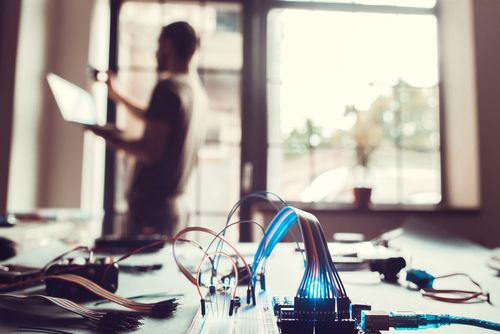
A successful Crestron system design starts with understanding how each space will be used. Every room has its own needs—like customizable lighting for movie nights in the home theater or seamless audio in the kitchen for cooking and dining.
Walk through each room and note current issues. Is the lighting unsuitable for activities? Are there Wi-Fi dead zones? These details form the blueprint for a personalized smart home.
What is the first step in home automation? Create a comprehensive needs assessment. Focus on how family members interact with technology and ensure the system enhances daily routines without adding complexity.
Budget Planning and Timeline Coordination
Smart budgeting for Crestron systems means considering both upfront costs and long-term value. Crestron smart home checklist items include your budget for hardware, programming, installation labor, and ongoing support, as required by system maintenance and updates. Programming, often 30-40% of the total cost, is key to creating an intuitive and reliable system.
Timeline coordination is essential when syncing with construction or renovation schedules. Crestron installation involves multiple phases, from rough-in wiring during construction to final programming after finishes are complete.
Room-by-Room Feature Mapping
Document the features for each space, keeping future upgrades in mind. A master bedroom might begin with simple lighting and climate control and later add automated window treatments or security.
Living areas can use scene control to shift from bright and energetic for daytime to warm and intimate for evenings. Kitchens often become home command centers, perfect for centralized control interfaces.
Transitional spaces like hallways and staircases can use motion-sensing automation to improve convenience and safety, particularly at night.
Learn more: Austin's Top Home Automation Trends: What's Hot in Smart Home Tech
Infrastructure and Wiring Requirements
Structured Cabling Foundation
For any residential Crestron installation, robust structured cabling is the invisible backbone making smart home magic happen. Think several steps ahead when planning this network.
Cat6A cabling is the gold standard for Crestron systems, providing the bandwidth for high-res video and responsive control. Ensure each room has multiple cable runs for current and future devices.
Power needs go beyond standard outlets. Many Crestron devices require dedicated circuits or a specific voltage. Plan these during electrical rough-in to avoid costly retrofitting later.
Network Architecture Planning
A modern Crestron system needs solid network connectivity. Use professional-grade networking equipment for dependable Wi-Fi and wired infrastructure. This ensures smooth operation when the system manages lighting, climate, and security while family members stream content.
Network design should use dedicated VLANs to isolate automation equipment from general internet traffic, boosting performance and security. Power over Ethernet (PoE) switches simplify the installation of devices like touchpanels and sensors by removing the need for separate power adapters and allowing for more flexible placement.
System Integration Strategies
Lighting Control Integration
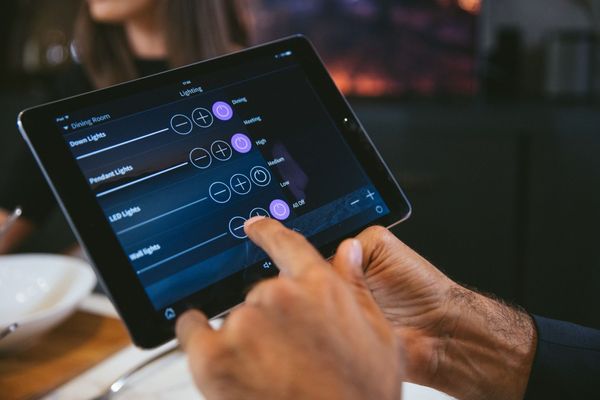
Crestron lighting control enhances living spaces by creating scenes that adapt to the time of day and specific activities. Circadian rhythm programming adjusts light color and intensity to support natural sleep-wake cycles, with cooler morning light and warmer evening tones.
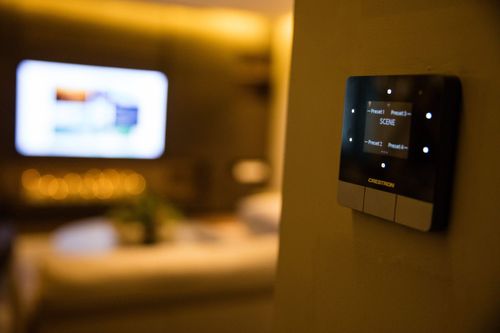
Position keypads intuitively and use descriptive scene names like "Dinner Party" or "Movie Time" for easy use by all family members.
Audio System Coordination
Whole-home audio integration lets music flow seamlessly between rooms. Crestron systems manage multiple audio zones for synchronized playback or independent control.
Speaker placement and amplification should match each room's acoustics. For example, a great room might need distributed ceiling speakers, while a home office could use focused near-field monitors for calls. The system should integrate with streaming services and local media, allowing a playlist started in the kitchen to continue uninterrupted in the living room.
Climate Control Optimization
Smart climate control isn't just about programmable thermostats. Crestron systems offer truly personalized comfort, integrating with zoned HVAC, motorized dampers, and individual room sensors. Occupancy sensing automatically adjusts temperatures in unoccupied rooms for energy efficiency. Integrated window treatments further optimize climate by managing solar heat gain. With seasonal programming, the system adapts to changing weather, leading to significant improvements in comfort and lower energy costs.
Learn more: Home Automation Ideas: The Future of Intelligent Living
Device Compatibility and Selection
Compatible Components
Crestron systems thrive on effective communication between components. While not all items must be Crestron branded, compatibility and protocols are key.
Third-party device integration is advanced. Smart thermostats, security cameras, and entertainment systems often integrate seamlessly into the Crestron ecosystem.
Document all selected devices, including model numbers and firmware. This information is vital for programming, updates, and future expansion.
Future-Proofing Considerations
Technology moves fast. Protect your Crestron investment by choosing components with upgrade paths and expandability, avoiding solutions that lock in current capabilities. Keep an eye on emerging Matter and Thread protocols; while Crestron systems don't depend on them, supporting these can open up additional integration opportunities. Plan your infrastructure for growth. Running extra cable runs during construction is much more cost-effective than retrofitting later when needs or family tech preferences evolve.
Collaboration Best Practices
Team Communication Strategies
Crestron installation projects thrive on clear communication. Regular check-ins at key milestones prevent costly issues. Create shared documentation (floor plans, programming preferences, changes) for all team members. Establish clear decision-making protocols for unexpected situations or change requests. When everyone understands authority and impact on timeline/budget, projects run smoothly.
Managing Expectations and Timeline
Realistic expectations prevent frustrating user experiences. Crestron system design and programming need time to perfect, so don't rush. Plan multiple site visits: initial design, construction coordination, device installation/wiring, then final programming and training. Build buffer time into schedules for testing and refinement. The best Crestron installations are fine-tuned by actual use, not just assumptions.
Post-Installation Optimization
User Training and Documentation
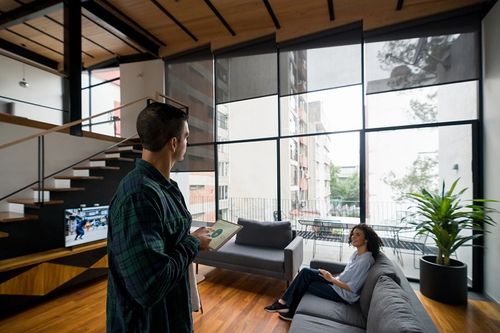
A Crestron system's value depends on the user's ability to operate it. Training sessions should cover daily operations and advanced, less-used features.
Custom user guides are essential. They should reflect the specific installation and programming for the home, as generic manuals often miss the unique aspects of a system.
Follow-up training is also beneficial. Schedule sessions after the family has lived with the system, as questions and optimization opportunities arise with real-world use.
System Monitoring and Maintenance
Enable remote monitoring to help Crestron installers quickly identify and fix issues before they impact users. Be sure to hire installers from Total Home Technologies so these problems can be taken care of, even remotely and efficiently - reducing the need for service calls.
Perform regular system health checks to apply firmware updates and maintain performance. Ongoing maintenance ensures Crestron systems run smoothly.
Document customizations or programming details for future technicians. This simplifies troubleshooting and system updates down the line.
At Total Home Technologies, we truly believe in keeping your smart home, especially your amazing Crestron system, performing at its best, effortlessly. We're here to handle those regular health checks and firmware updates, ensuring everything's always up-to-date and playing nicely together. Why wait for a hiccup when you can prevent it? Let us take the worry out of your smart home experience, so you can just relax and enjoy the seamless luxury you deserve.
Learn more: 3 Reasons to Add Retractable Privacy Screens to Your Outdoor Space
Frequently Asked Questions
Yes. Crestron systems need special knowledge and certification beyond normal electrical or AV skills. Certified Crestron installers are trained in the programming, integration, and troubleshooting required for a seamless smart home.
Crestron is often called the gold standard for high-end home automation. Its reputation comes from reliability, scalability, and advanced integration, outperforming many consumer options. Though the initial investment is higher, Crestron offers unmatched customization and professional support, justifying the cost for those seeking the ultimate smart home experience.
A full residential Crestron installation usually takes 4–8 weeks, from design to programming. The timeline depends on the system's complexity and construction schedules. While physical setup is quick, programming and testing take extra time. Larger, more complex projects may require more time, so early planning is key.
Modern Crestron systems integrate with third-party devices like smart thermostats, security, lighting, and entertainment. Not every device integrates seamlessly, so compatibility verification is crucial during design. Experienced Crestron installer professionals help ensure optimal integration for existing and future devices.
Why Trust Total Home Technologies
At Total Home Technologies, we are dedicated to turning your vision for a smart, connected home into reality. Specializing in the latest innovations in smart home automation, home theater design, advanced lighting control, motorized shades, outdoor entertainment, and more, we bring tailored solutions to enhance your lifestyle. Serving Austin, TX, and the surrounding areas, our experienced team combines cutting-edge technology with expert craftsmanship to deliver results that are both functional and stylish. Whether you're starting fresh with a new build or upgrading your current home, you can trust us to provide personalized guidance and solutions every step of the way. Together, we’ll create a home that perfectly balances sophistication, convenience, and comfort.
Shop Crestron at Total Home Technologies
Choosing Total Home Technologies for your custom home theaters in Austin, TX, means partnering with a local team that truly understands the unique needs of the community. Our expertise, combined with a deep commitment to customer satisfaction, ensures that every solution is tailored specifically to your lifestyle. With a focus on quality, innovation, and seamless integration, we make it easy for you to enhance your home with advanced technologies designed to add convenience, energy efficiency, and modern style to your everyday life. Let us make your smart home vision a reality.